

In this article
Do you know what IaaS vs PaaS vs SaaS are and how they can be used professionally? If yes, then you are at the right place. Here, we will talk about how such cloud models can be used professionally in the IT Industry.
In the end, we will introduce you to a reputed institute offering a dedicated training program related to cloud computing skills. What are we waiting for? Let’e get started!
What Is Cloud Computing?
The pay-as-you-go online distribution of computer resources, such as servers, storage, databases, and software, is known as cloud computing. You can access these services from distant data centers rather than locally controlling physical hardware, which enables instant scalability and data access from any device.
Let’s differentiate between IaaS vs PaaS vs SaaS and see how they are used by users & their benefits!
What is IaaS (Infrastructure as a Service)?
A cloud model called Infrastructure as a Service (IaaS) offers on-demand internet-based access to basic computer resources, such as virtual servers, storage, and networking.
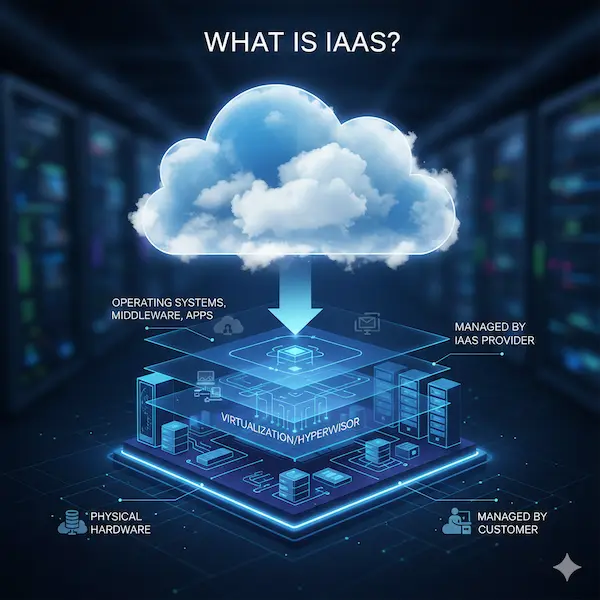
It removes the need to purchase or operate real data centers by enabling you to rent virtualized hardware to run your own operating systems and applications.
What is PaaS (Platform as a Service)?
The cloud computing paradigm known as Platform as a Service (PaaS) offers developers a ready-made environment in which to create, execute, and manage applications without having to deal with the hassle of maintaining the underlying infrastructure.
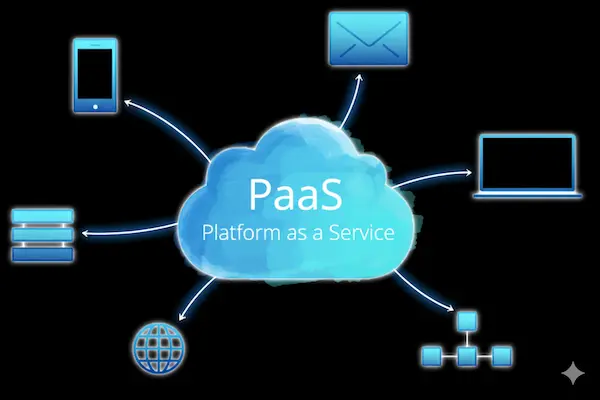
With the operating system, middleware, and development tools included, teams can concentrate only on managing data and writing code.
What is SaaS (Software as a Service)?
Software as a Service (SaaS) is a cloud-based distribution model that allows customers to access fully working apps via the internet using an app or web browser, usually with a subscription.
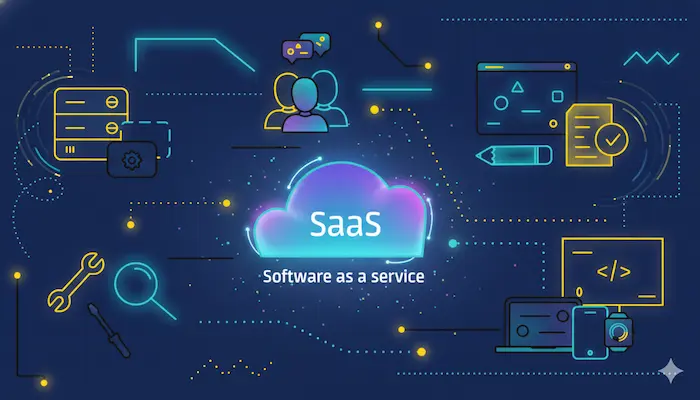
You can use the software on any device without the need for local installation or hardware administration because the provider takes care of all hosting, maintenance, and security.
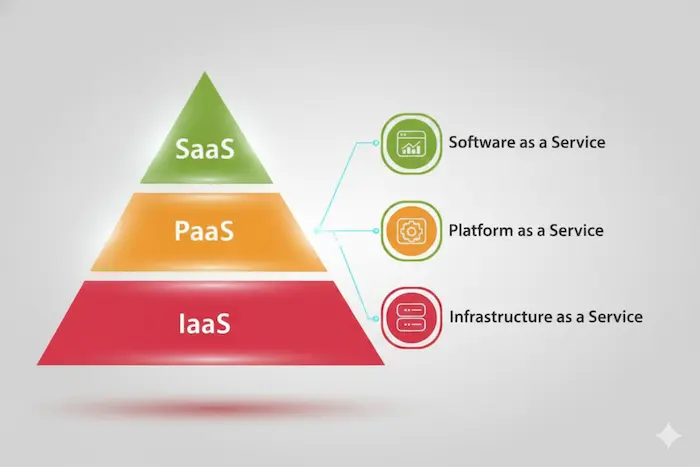
IaaS vs PaaS vs SaaS: Core Differences Explained
The degree of control you maintain in contrast to the vendor's convenience is the primary distinction between IaaS, PaaS, and SaaS. In PaaS, the vendor supplies the platform (runtime/middleware) so you may concentrate just on writing; in SaaS, the vendor maintains the full stack, offering a ready-to-use application; and in IaaS, you rent the raw hardware (servers/storage) and manage the OS and apps.
Comparison Table: IaaS vs PaaS vs SaaS
|
S.No. |
Factors |
Topics |
What? |
|
1. |
Control |
IaaS |
The OS and hardware settings are completely under your control. |
|
PaaS |
The data settings and application code are under your control. |
||
|
SaaS |
The vendor is in charge of everything; you have very little power. |
||
|
2. |
Maintenance |
IaaS |
You manage middleware, security patches, and OS updates. |
|
PaaS |
The vendor takes care of the operating system; you only have to maintain the application. |
||
|
SaaS |
The vendor takes care of all upgrades, so you don't have to conduct any maintenance. |
||
|
3. |
Best For |
IaaS |
Constructing specialized infrastructure to meet certain technical requirements. |
|
PaaS |
Developers aim for rapid app development and deployment. |
||
|
SaaS |
Users who require a completed business solution right away. |
||
|
4. |
Analogy |
IaaS |
Similar to renting a vacant piece of land so you can construct your own home. |
|
PaaS |
Similar to renting a fully equipped workshop to manufacture your own goods. |
||
|
SaaS |
Similar to staying in a hotel where all services are offered to you. |
Use Cases: When to Choose IaaS, PaaS, or SaaS
When you require total control over your operating system and unique hardware configurations for intricate applications like disaster recovery or big data, go with IaaS. For quick application development and testing, choose PaaS so that developers may concentrate on writing code rather than maintaining servers or middleware.
When you want a ready-to-use, maintenance-free solution for common company needs like email, CRM, or collaboration tools, choose SaaS.
Advantages and Disadvantages of Each Cloud Model
|
S.No. |
Factors |
Topics |
Factors |
What? |
|
1. |
Advantages |
IaaS |
Full Control |
Personalize networking, storage, and operating systems; economical: Just pay for the raw power utilized. |
|
PaaS |
Speed to Market |
Code is the only thing developers concentrate on; auto-scaling manages spikes in traffic without human intervention. |
||
|
SaaS |
Instant Access |
Neither installation nor setup; Maintenance-free: All security fixes and updates are handled by the vendor. |
||
|
2. |
Disadvantages |
IaaS |
High Complexity |
Requires knowledgeable IT personnel to handle setups, security, and upgrades. |
|
PaaS |
Vendor Lock-in |
Transferring code to a different provider is challenging. Restricted Stack: Limited to supported languages. |
||
|
SaaS |
No Customization |
The app's functionality cannot be altered. Connectivity Risk: Completely reliant on vendor uptime and the internet. |
IaaS vs PaaS vs SaaS from a Security Perspective
From a security standpoint, the distinction is found in the Shared Responsibility Model: in IaaS, you are in charge of protecting the operating system and the whole software stack; in PaaS, the vendor protects the platform while you concentrate solely on protecting your application code; and in SaaS, the vendor protects nearly everything, leaving you in charge of user identity management and data access.
Future Trends in Cloud Computing Services
|
S.No. |
Trends |
What? |
|
1. |
AI-Native Infrastructure |
For smooth model training and inference, cloud platforms are now constructed around specialized AI chips (GPUs/TPUs) and integrated LLM-orchestration layers. |
|
2. |
Rise of Agentic AI |
Cloud services are evolving from passive tools to "agentic" platforms that can independently track development, fix mistakes, and offer innovative commercial solutions. |
|
3. |
Hyper-Distributed Edge Computing |
To lower latency, real-time processing is shifting closer to the source (IoT, smart cities, and automobiles); by late 2025, 75% of enterprise data is anticipated to be processed at the edge. |
|
4. |
Sovereign Cloud & Data Privacy |
Regional clouds are emerging as a result of geopolitical changes to guarantee that data remains within certain legal boundaries and conforms with stringent local laws like GDPR or NIS2. |
|
5. |
Industry-Specific (Vertical) Clouds |
As carriers offer customized clouds pre-loaded with particular regulatory frameworks for manufacturing, healthcare, and finance, "one-size-fits-all" is coming to an end. |
|
6. |
Sustainable & "Green" Cloud |
Nowadays, cloud companies automatically move workloads to data centers that are currently using the highest percentage of renewable energy, a practice known as carbon-aware computing. |
|
7. |
Quantum Computing as a Service (QCaaS) |
Businesses may now solve challenging optimization and chemistry problems that were previously unsolvable with traditional PCs thanks to hyperscalers, which are increasingly providing cloud access to quantum processors. |
|
8. |
Zero-Trust Cloud Security |
The "never trust, always verify" paradigm has taken over as the standard architecture, substituting identity-based access that performs real-time device health checks for conventional VPNs. |
|
9. |
Serverless 2.0 & Event-Driven Apps |
Next-generation serverless is more "stateful," allowing complete application workflows to be triggered by events (such as a change in data) without the need for infrastructure administration. It also scales even quicker. |
|
10. |
FinOps & Automated Cost Tuning |
These days, AI-powered "FinOps" technologies anticipate cost surges and automatically adjust resources in real-time, frequently cutting wasteful cloud spending by 30% or more. |
Conclusion
Now that we have talked about the difference between IaaS vs PaaS vs SaaS, you might want to learn about cloud professionally. For that, you can get in contact with Craw Security, offering the AWS Associate Course with AI in Delhi to IT Aspirants.
During the training sessions, students will be able to try their skills on various tasks using the cloud under the supervision of AWS professionals. Moreover, online sessions will facilitate students in remote learning.
After the completion of the AWS Associate Course with AI in Delhi offered by Craw Security, students will receive a certificate validating their honed knowledge & skills during the sessions. What are you waiting for? Contact, Now!
Frequently Asked Questions
About IaaS vs PaaS vs SaaS
- What is the difference between IaaS, PaaS, and SaaS in cloud computing?
SaaS gives ready-to-use software applications directly to customers via the internet, PaaS offers a pre-configured platform for developers to build and deploy programs without worrying about servers, and IaaS provides the virtualized infrastructure (servers/storage) that you control.
- Which is better: IaaS, PaaS, or SaaS for businesses?
The "better" model depends entirely on your business objectives: SaaS is best for instantaneous use with no maintenance (e.g., Slack, Gmail), PaaS is best for developers creating custom apps fast (e.g., Heroku), and IaaS is best for technical teams requiring complete control over infrastructure and scaling (e.g., AWS EC2).
- When should a company choose IaaS over PaaS or SaaS?
When a business needs fine-grained control over the whole software stack, including the operating system and networking to enable highly tailored security, stringent compliance requirements, or the "lift-and-shift" migration of legacy applications, it should opt for Infrastructure as a Service (IaaS).
- What are the main advantages of SaaS compared to IaaS and PaaS?
SaaS's primary advantages over IaaS and PaaS are its instant accessibility via a web browser with no setup, zero maintenance because the vendor takes care of all updates and security patches, and lower upfront costs because of a predictable subscription model that does away with the need for costly IT staff or infrastructure management.
- Is PaaS more secure than IaaS?
Although PaaS is not intrinsically "more secure" than IaaS, most businesses find it to be safer because the cloud provider manages operating system and middleware security, greatly lowering the possibility of human error and misconfiguration.
- What are real-world examples of IaaS, PaaS, and SaaS?
Examples from the real world include Gmail, Slack, and Salesforce for SaaS (ready-to-use software accessed via a browser), Heroku and Google App Engine for PaaS (platforms for creating and deploying apps), and Amazon EC2 and DigitalOcean for IaaS (renting virtual servers).
- Which cloud service model is best for startups?
Platform as a Service, or PaaS, is the ideal option for the majority of companies since it provides the quickest time-to-market by letting developers concentrate just on code while the provider takes care of server management, scaling, and security.
- How does pricing differ between IaaS, PaaS, and SaaS?
For finished software in SaaS, pricing usually changes from usage-based "pay-as-you-go" for raw resources in IaaS to subscription-based "per-user" rates.
- Can I use IaaS, PaaS, and SaaS together in one organization?
Yes, to balance total control, developer speed, and worker productivity, the majority of contemporary firms use all three models concurrently.
- What level of control does IaaS provide compared to PaaS and SaaS?
While PaaS limits you to managing only the application code and SaaS offers almost no control over the backend because the vendor handles the entire stack, IaaS offers the maximum level of control by granting you complete access to the operating system, storage, and networking.
- Which cloud model requires the least technical expertise?
Because the vendor handles everything from servers and security to software updates, SaaS (Software as a Service) requires the least amount of technical expertise. All you need is a ready-to-use program that you can access using a web browser.
- How do IaaS, PaaS, and SaaS differ in terms of scalability?
In terms of scalability, IaaS gives you the manual capability to alter raw resources like RAM and CPU, PaaS enables automatic scaling where the platform manages traffic surges for you, and SaaS scales easily by simply adding more user licenses or upgrading your subscription tier.
- What are the security responsibilities in IaaS vs PaaS vs SaaS?
Under the Shared Responsibility Model, the provider secures the underlying infrastructure in all three scenarios, but you are in charge of the full software stack (OS, apps, and data) in IaaS, only the application code and data in PaaS, and mostly only the user access and data in SaaS.
- Which Cloud Service Model Is Best for Your Business?
The objectives and technical maturity of your company will determine whether the model is best: IaaS is excellent for businesses requiring complete control over complicated infrastructure and specialized security, PaaS is best for development teams building and scaling custom programs quickly, and SaaS is best for standardizing basic business tools with little upkeep.
Want to build a career in cyber security?
Talk to our counsellors about courses, batches and fees. Free demo class available.


